If your child uses ReadingDoctor® Online through their school, please ask their teacher to provide a new login card. Teachers can print a Name Card from the school Dashboard, which includes your child’s username, password and QR code.
If you have a home subscription, please follow these steps:
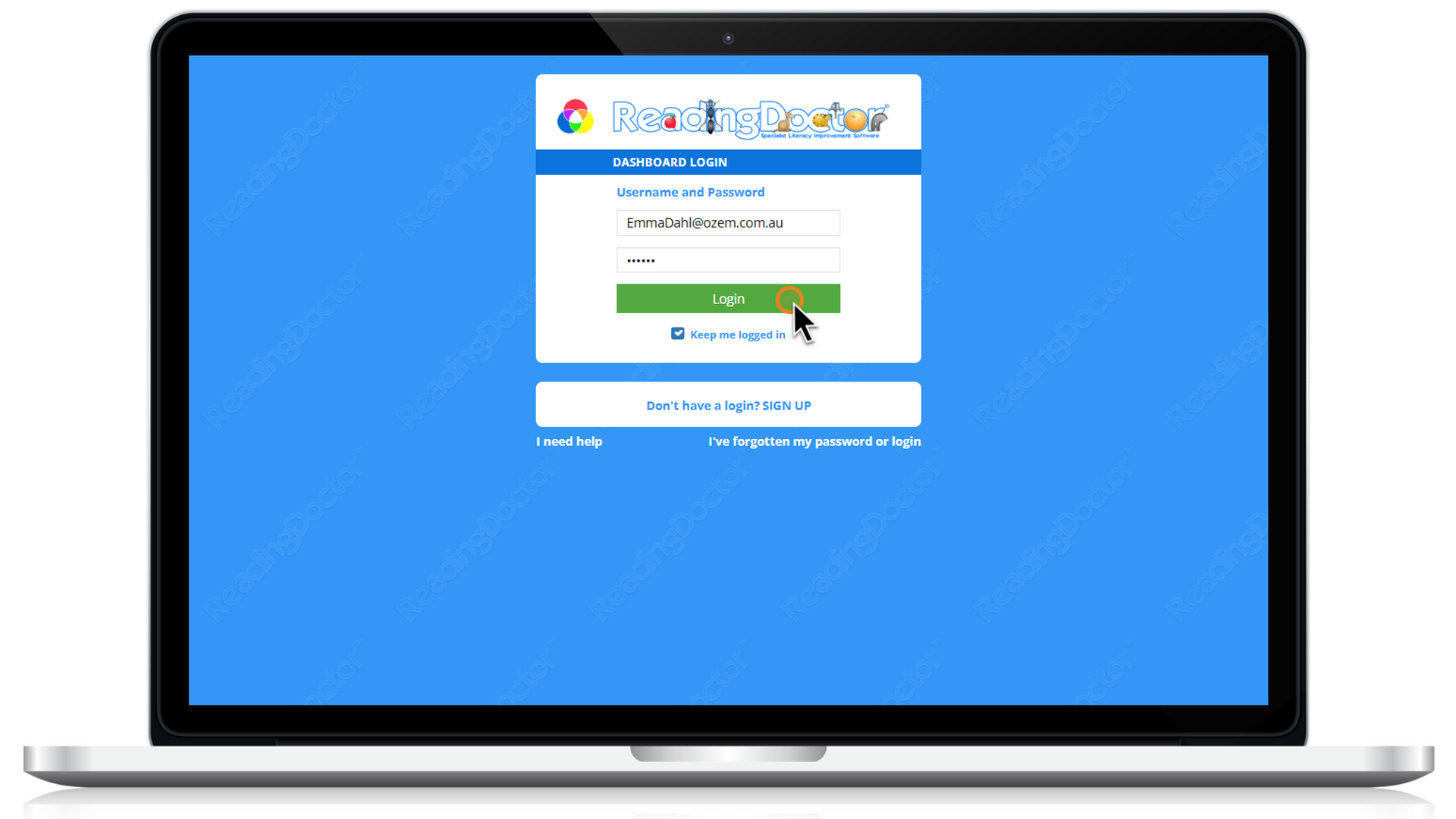
- Log in to your Parent Dashboard with your Username and Password
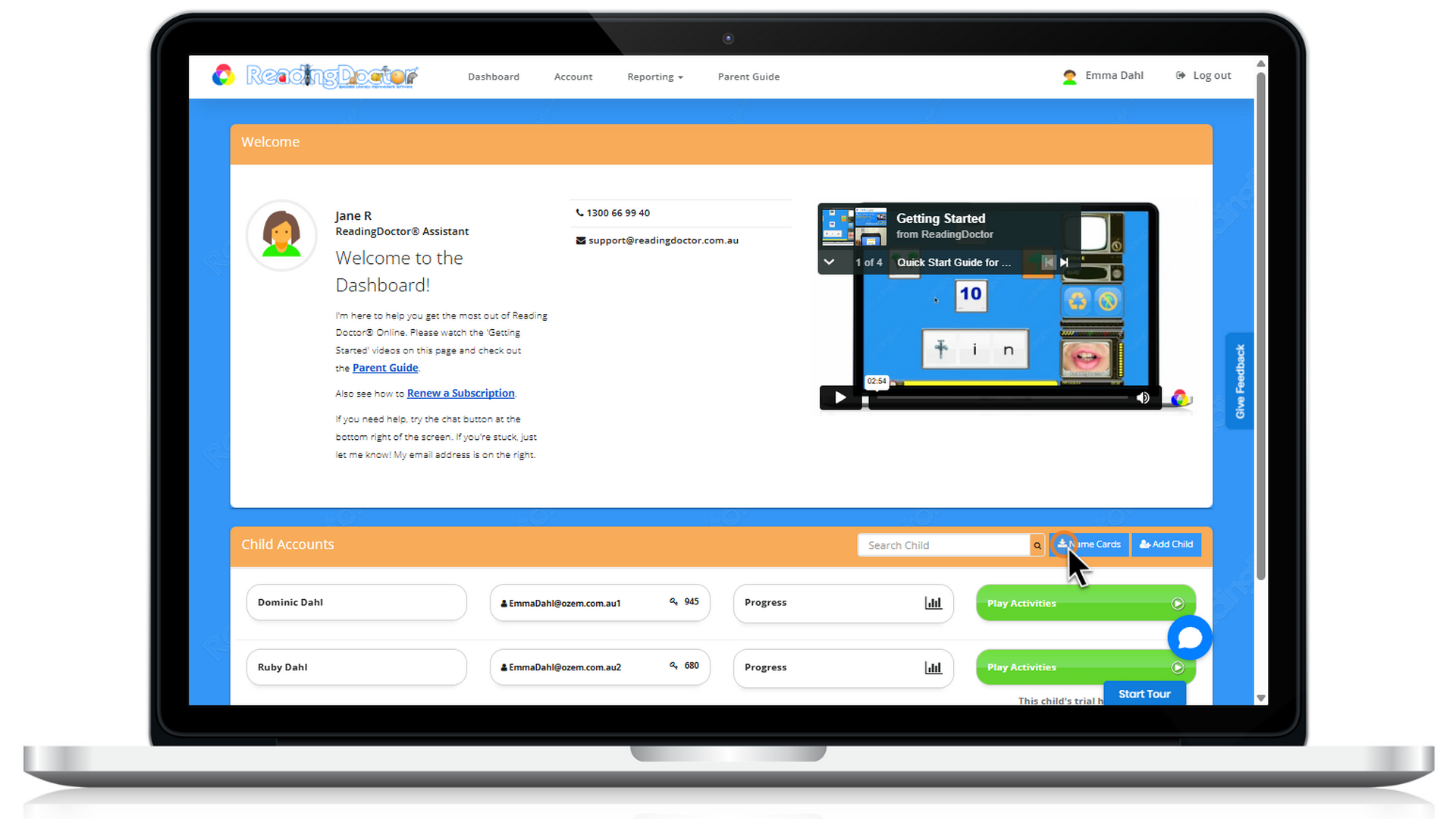
2. Click 'Name Cards'
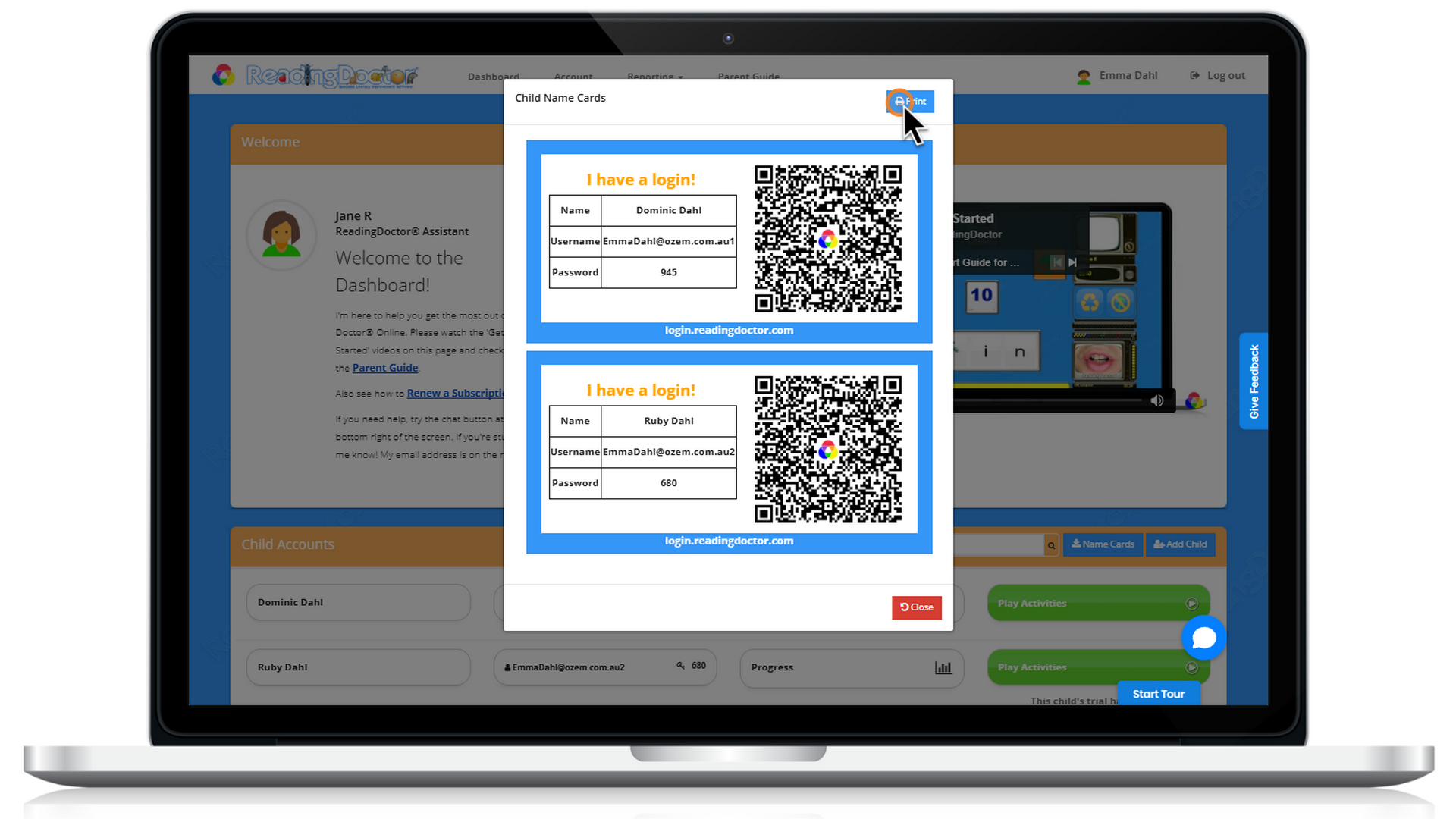
3. Press 'Print' to print your QR codes for easy login
To use your QR codes:
1. open the ReadingDoctor Online iPad app or go to https://login.readingdoctor.com on your device, then press the 'QR Scanner' button
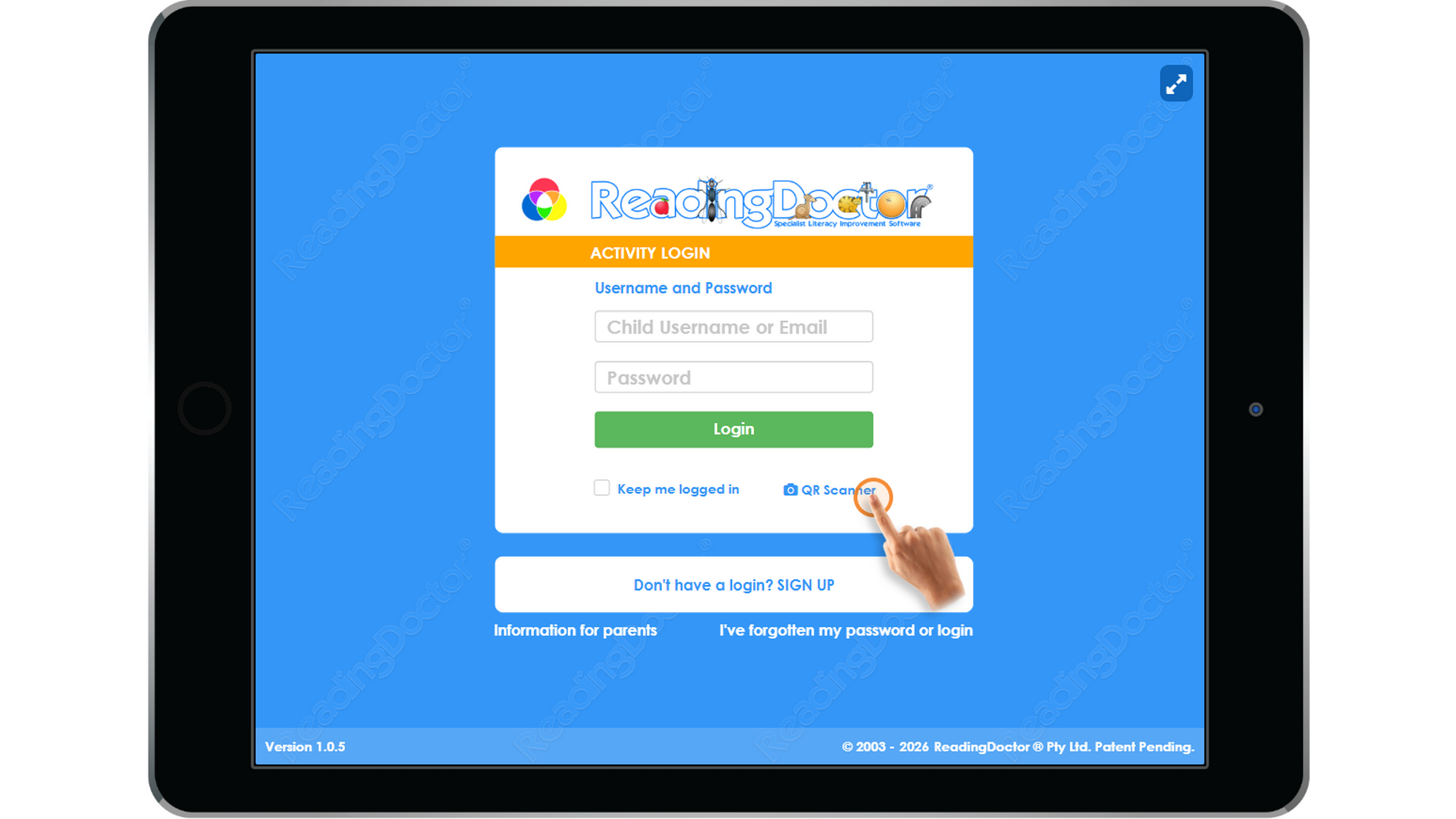
Scan your QR code with the device's camera to log in without having to enter a Username or Password for your child.
Was this article helpful?
That’s Great!
Thank you for your feedback
Sorry! We couldn't be helpful
Thank you for your feedback
Feedback sent
We appreciate your effort and will try to fix the article