We can help you find your password!
Your login details were sent to your email address when you first signed up in an email called, "Welcome to ReadingDoctor® Online". Try searching for that email in your inbox and spam folders if necessary.
If you can't find your login details in your email, please try navigating to your parent dashboard at https://dashboard.readingdoctor.com and pressing the 'I've forgotten my password or login' button
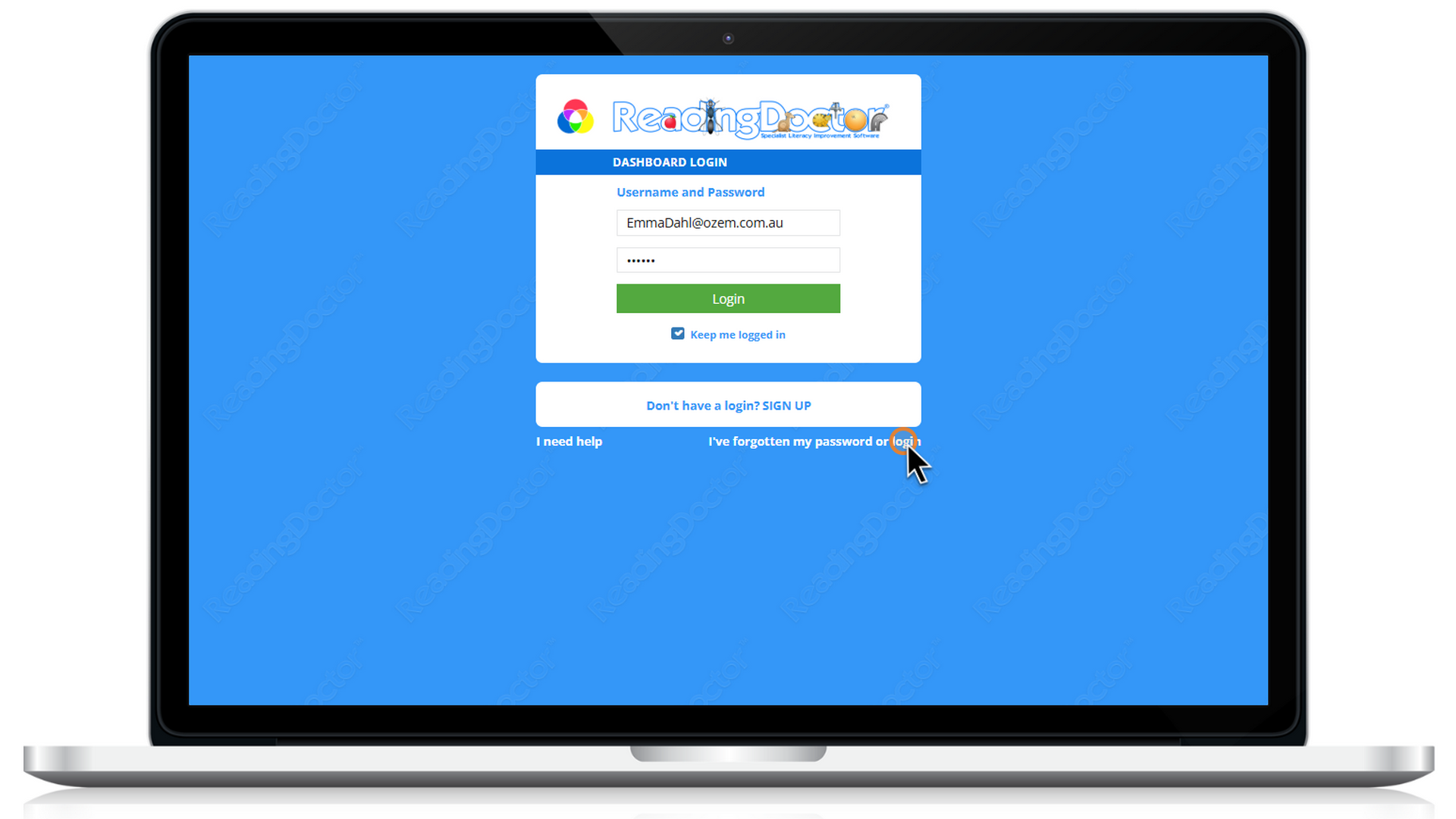
Enter the email address you used when you signed up and press the 'Send me my Password' button:
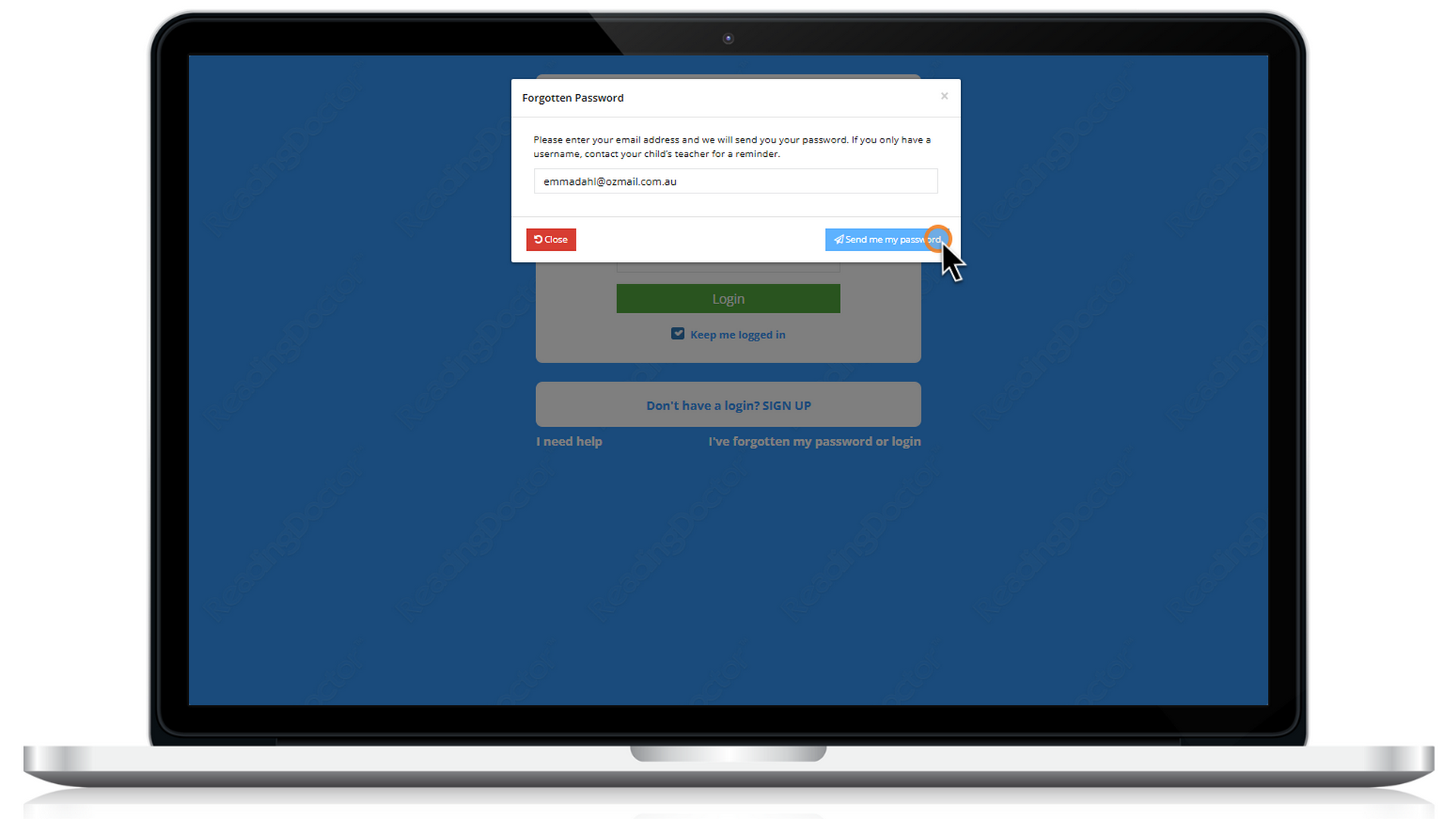
Password reset instructions will be sent to that email address.
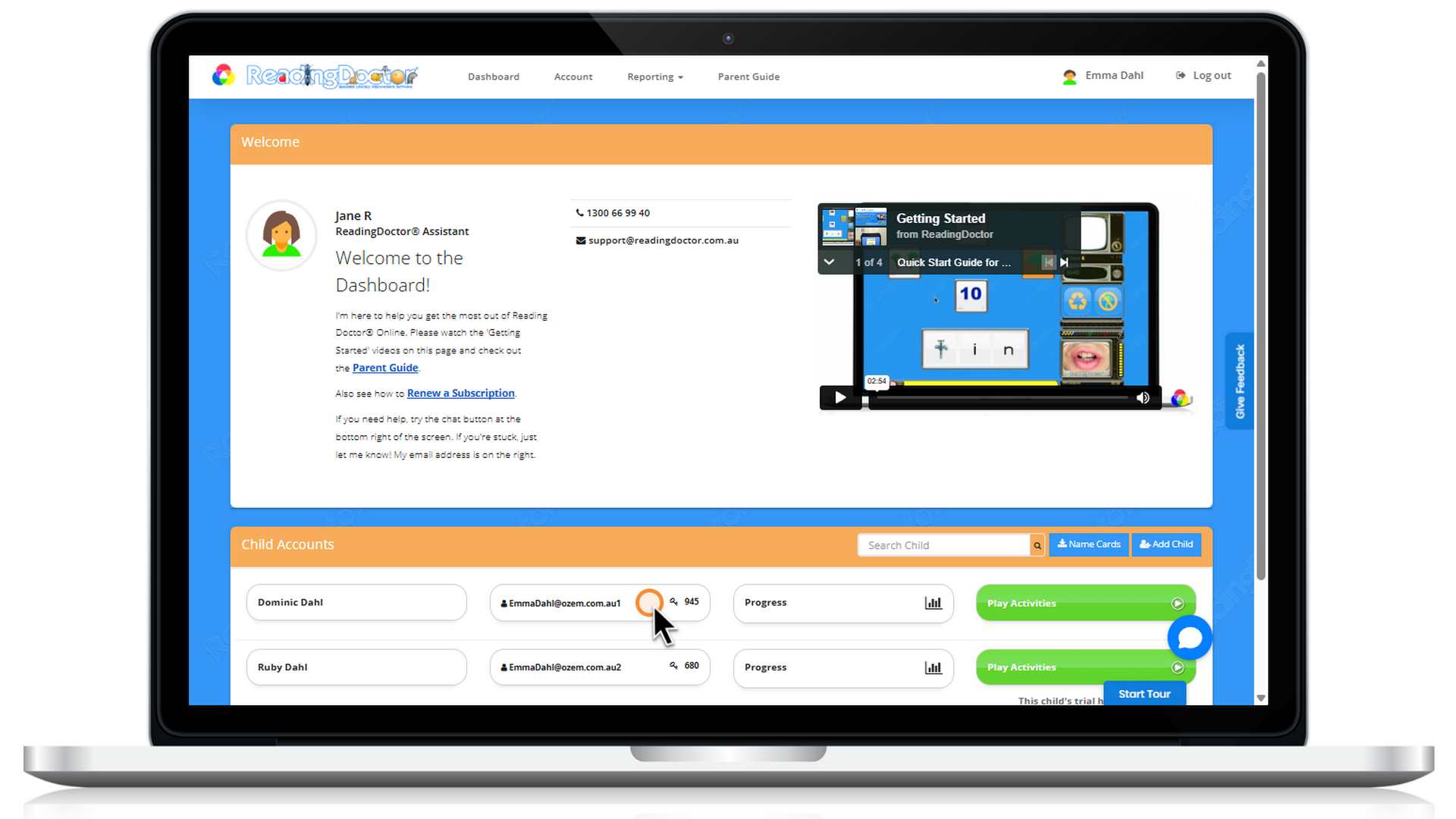
If you have forgotten your child’s ReadingDoctor® password, you can get it by logging into your dashboard and looking for your child's details, here:
If you are still having trouble, please contact us and we can help!
Was this article helpful?
That’s Great!
Thank you for your feedback
Sorry! We couldn't be helpful
Thank you for your feedback
Feedback sent
We appreciate your effort and will try to fix the article