How to change a student's position in the sequence
Use this guide to change a student’s position in the ReadingDoctor® Online sequence from Student Details.
Requirements
- Account type: ReadingDoctor® Administrator or teacher with Student Details permissions
- Dashboard login details for the account above
- Access to a computer browser
Video Guide
Steps
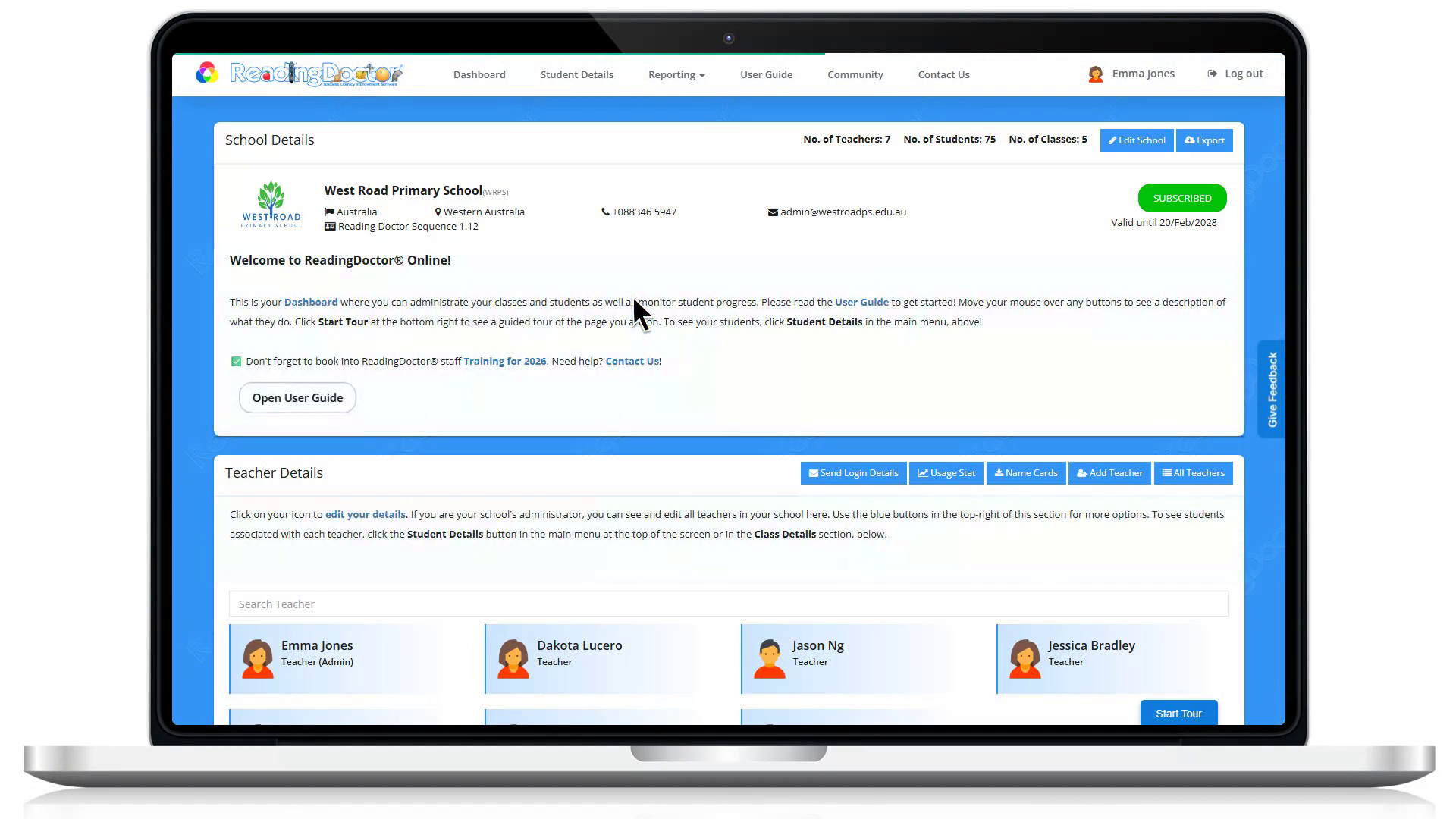
- First, log into your Dashboard.
Go to https://dashboard.readingdoctor.com and sign in with your dashboard username and password.
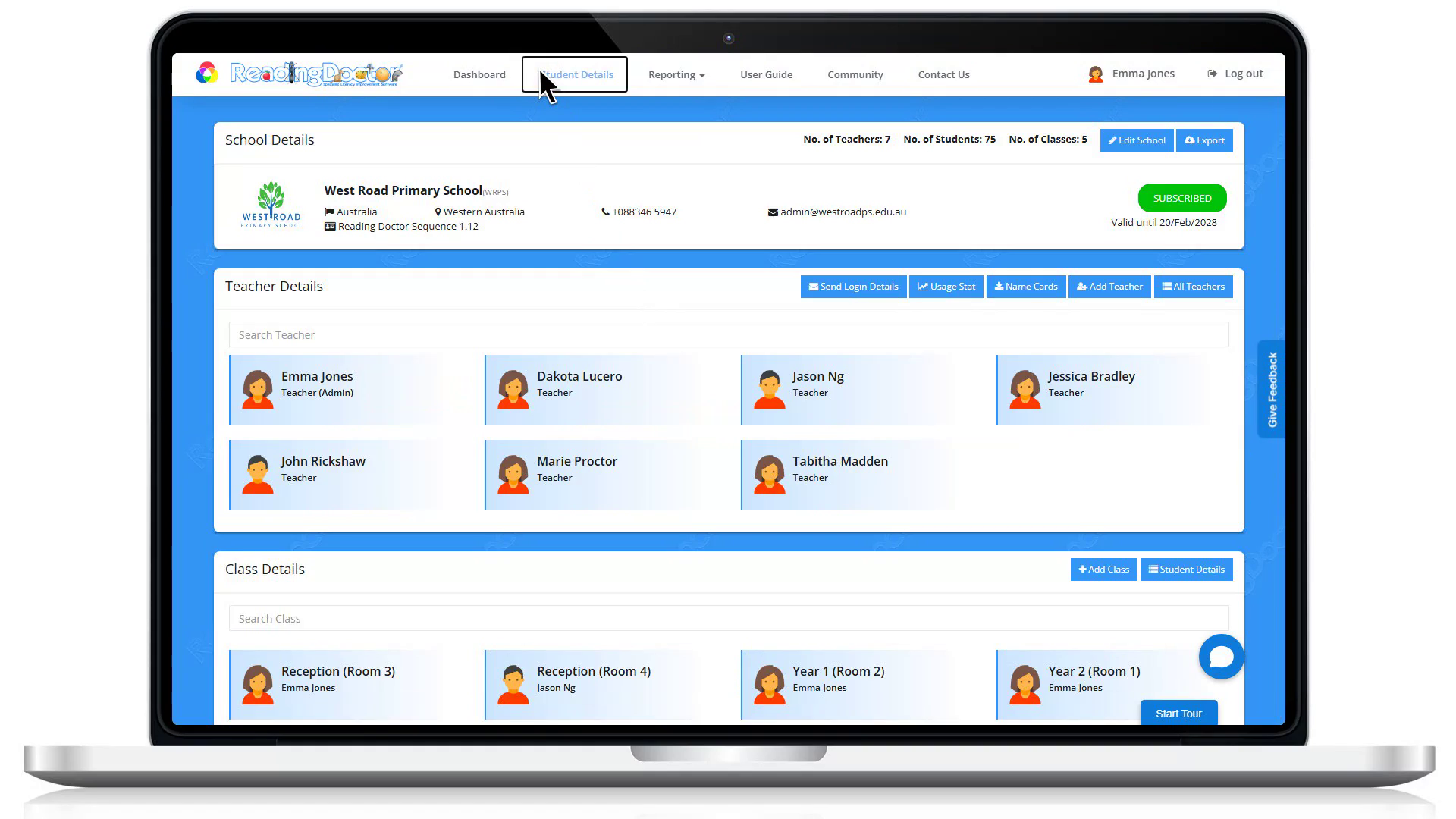
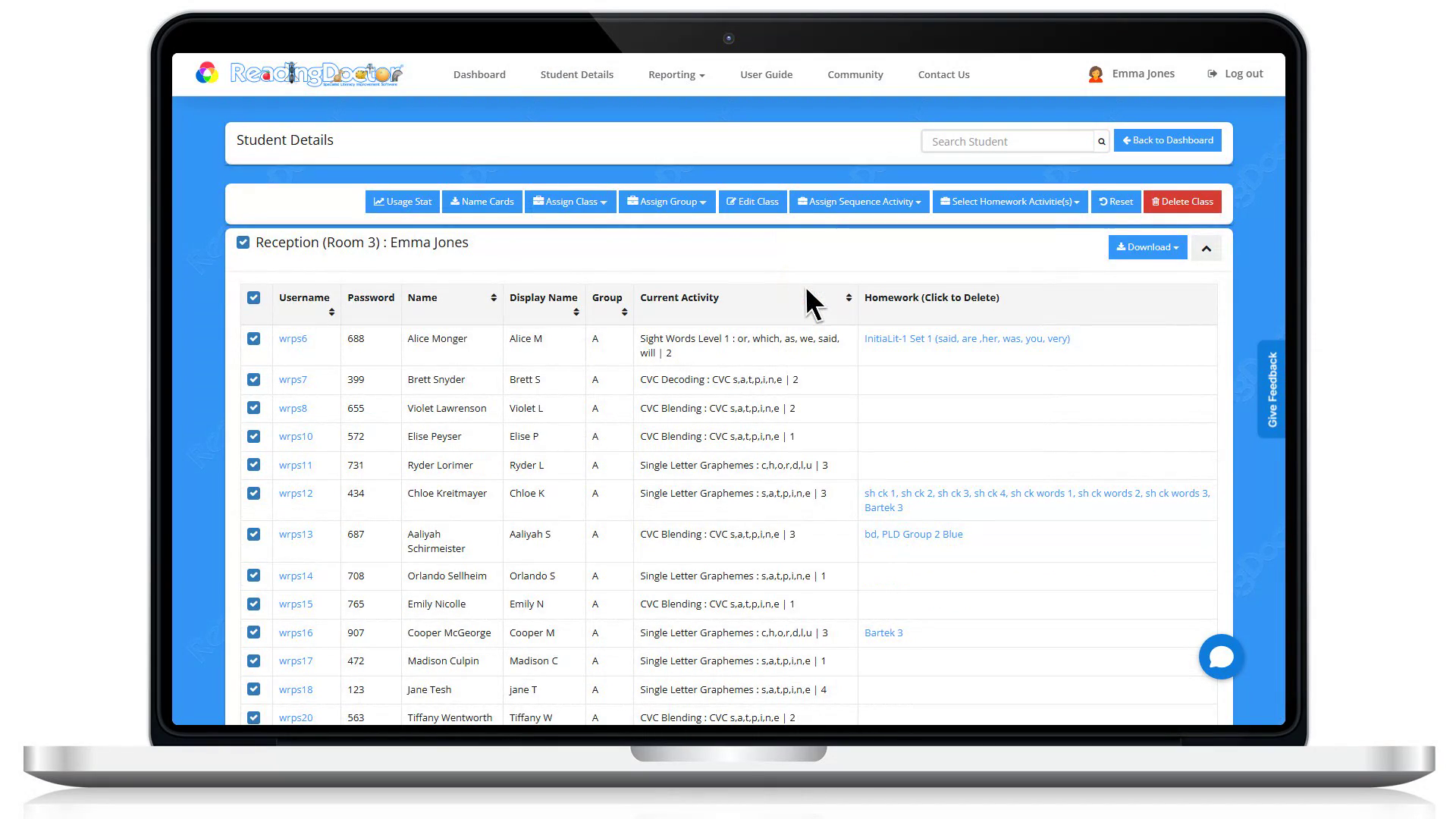
- Click Student Details.
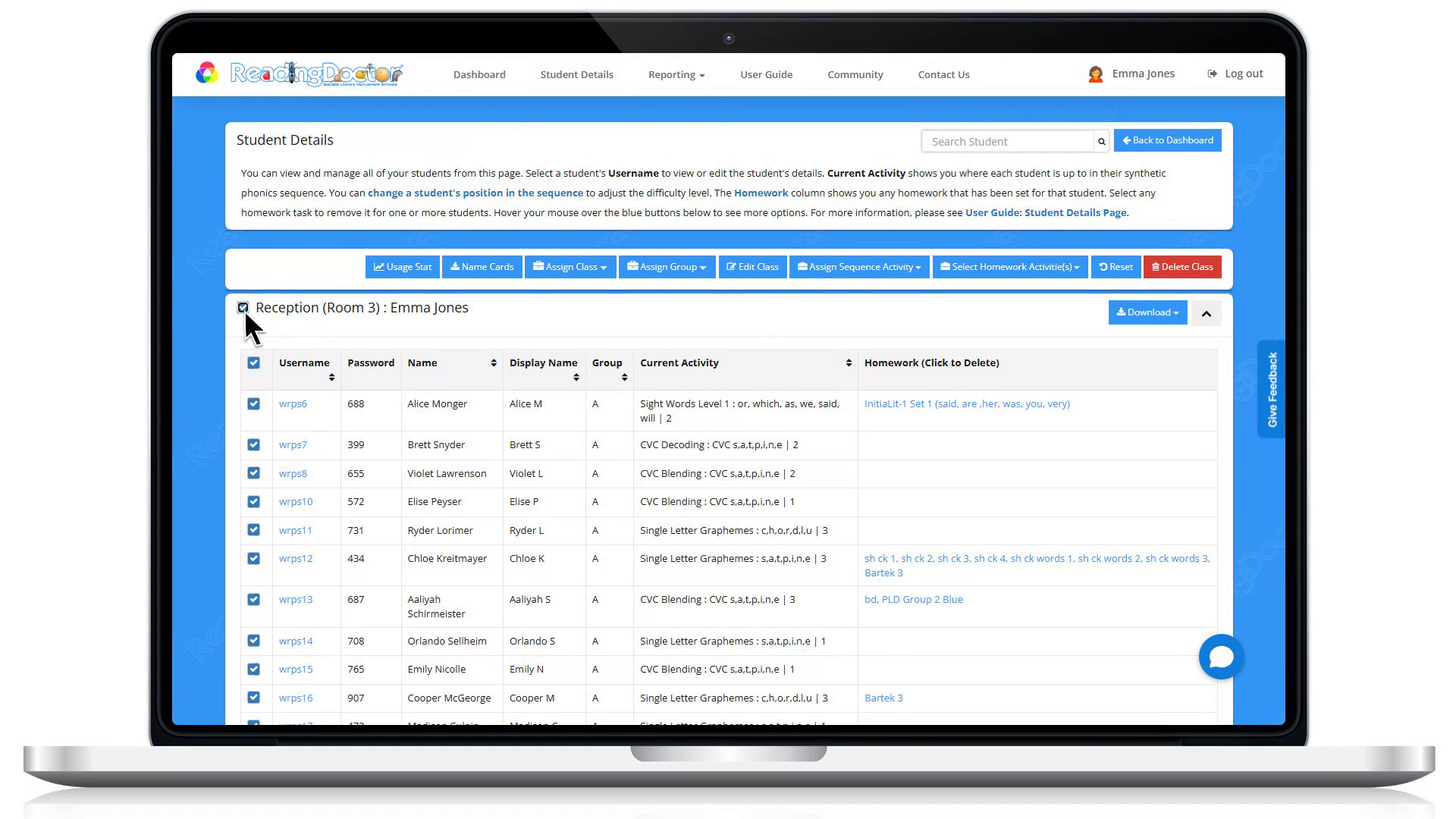
- Select the student or students you want to update.
Tick the checkbox beside each student whose position you want to change.
- Click Assign Sequence Activity.
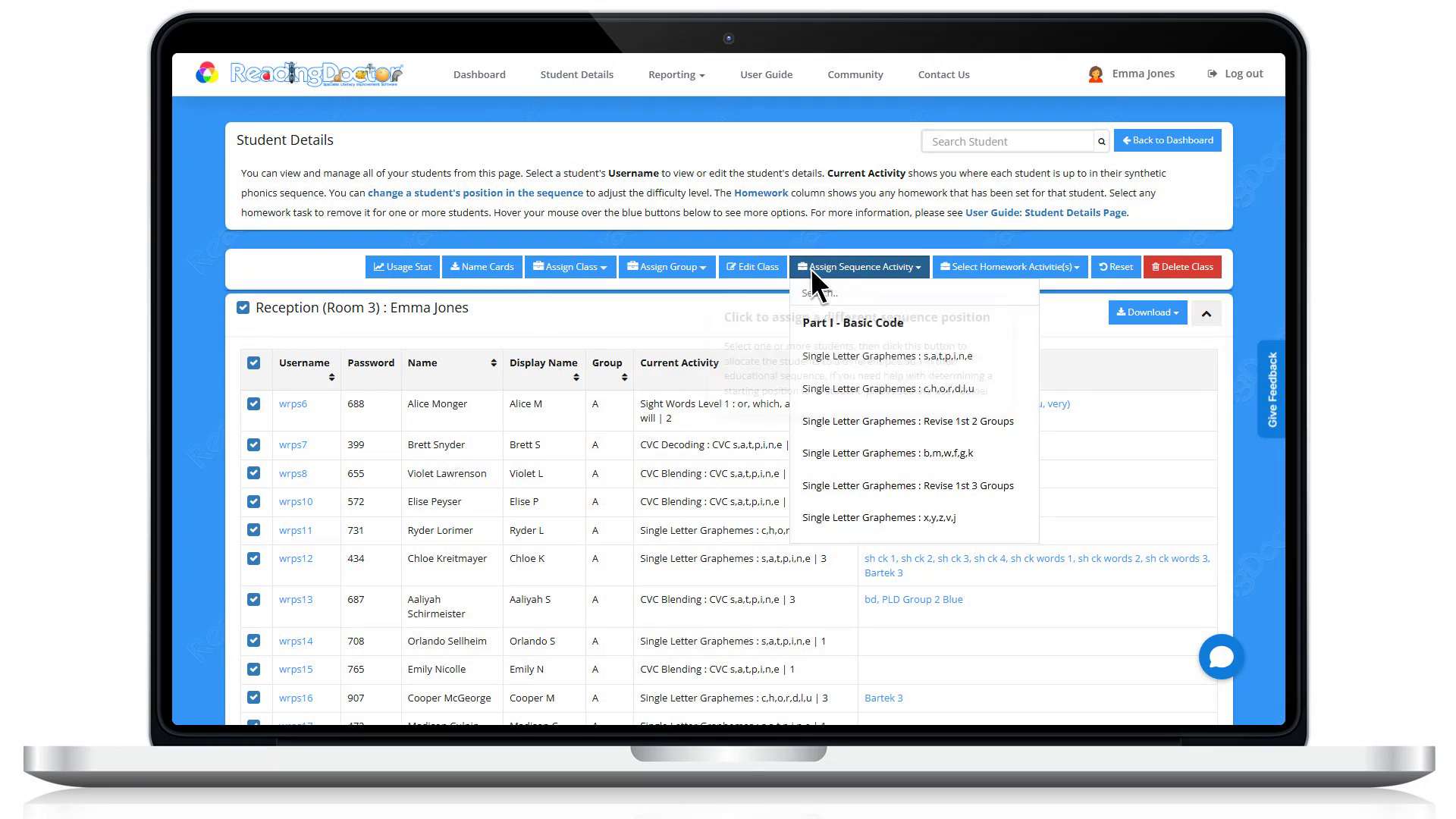
- Click the sequence position you want to assign.
Choose the required option from:
- Part I - Basic Code
- Part II - Intermediate Code
- Part III - Advanced Code
Notes
- Students can log in using a browser at https://login.readingdoctor.com or via the ReadingDoctor® Online iPad app.
Was this article helpful?
That’s Great!
Thank you for your feedback
Sorry! We couldn't be helpful
Thank you for your feedback
Feedback sent
We appreciate your effort and will try to fix the article