To view your child’s progress in ReadingDoctor® Online, please log in to the Parent Dashboard using the parent username and password emailed to you when you started your trial or subscription
Select 'Progress' next to your child's name:
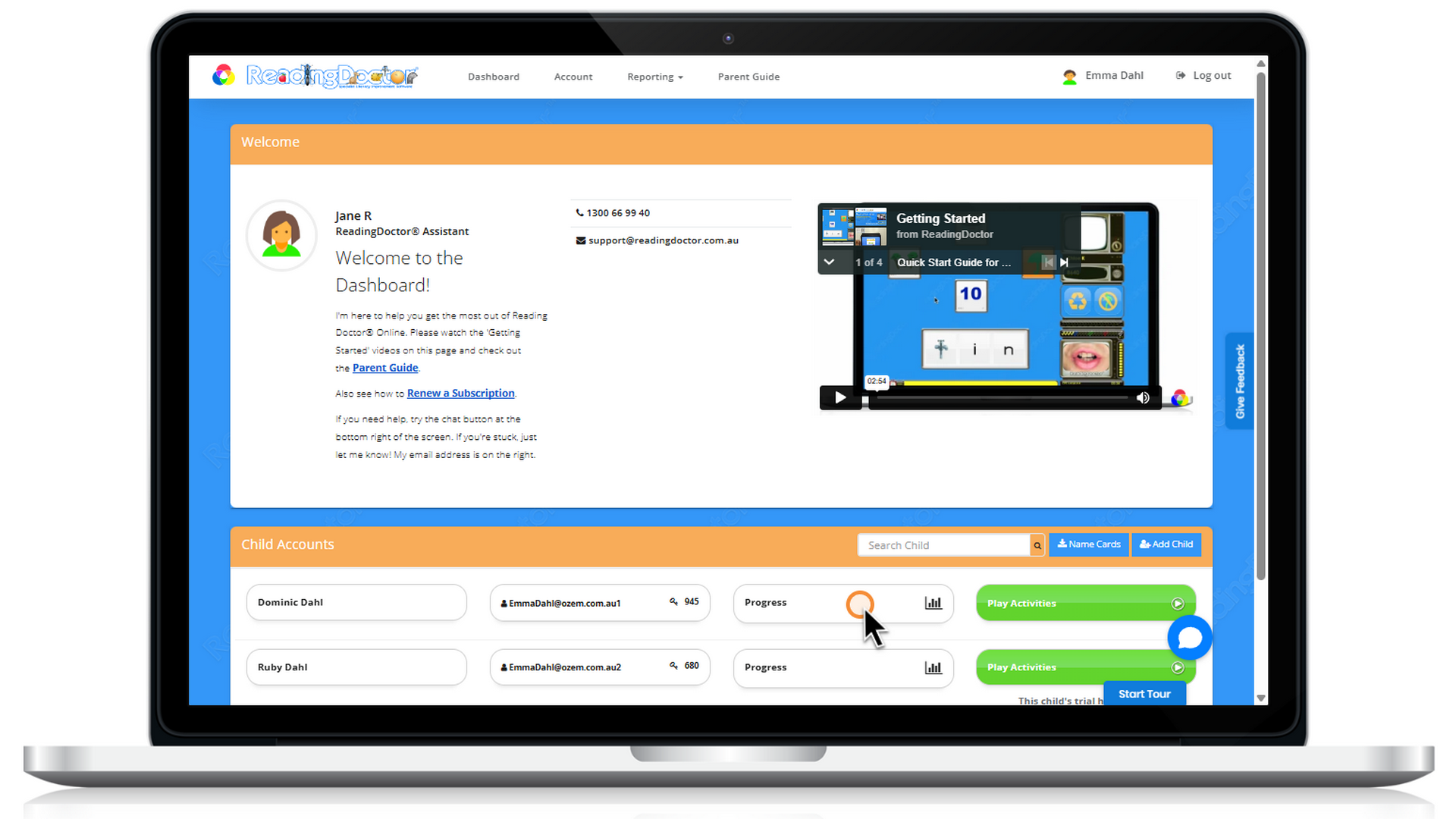
Pressing this button opens your child's Sequence Report:

You will see a list of skill types (e.g. Grapheme Knowledge), sub-skills (e.g. Single Letter Graphemes) and individual activities that teach specific targets (such as 's, a, t, p, i, n, e'). You will also see activities grouped by levels, with Level 1 being the easiest.
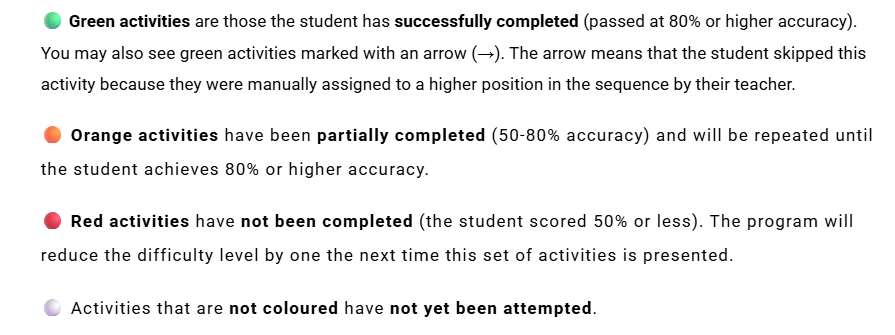
Reports have colour-coded activity results to help you determine your child's progress in each skill type 'at-a-glance'. The results are expressed as a % correct value with the following colour coding:
For more detailed information please see Parent Dashboard section of the Parent User Guide
If you cannot find your parent login details, or you can log in but cannot see your child’s information, please let us know and we will help.
Was this article helpful?
That’s Great!
Thank you for your feedback
Sorry! We couldn't be helpful
Thank you for your feedback
Feedback sent
We appreciate your effort and will try to fix the article