Viewing Usage Statistics for Students
Use this guide to view usage statistics for selected students from Student Details in the ReadingDoctor® Dashboard.
Requirements
- Account type: ReadingDoctor® Administrator or teacher with Student Details access
- Dashboard login details for the account above
- Access to the class in Student Details
Steps
Open the Dashboard login page and sign in.
Go to https://dashboard.readingdoctor.com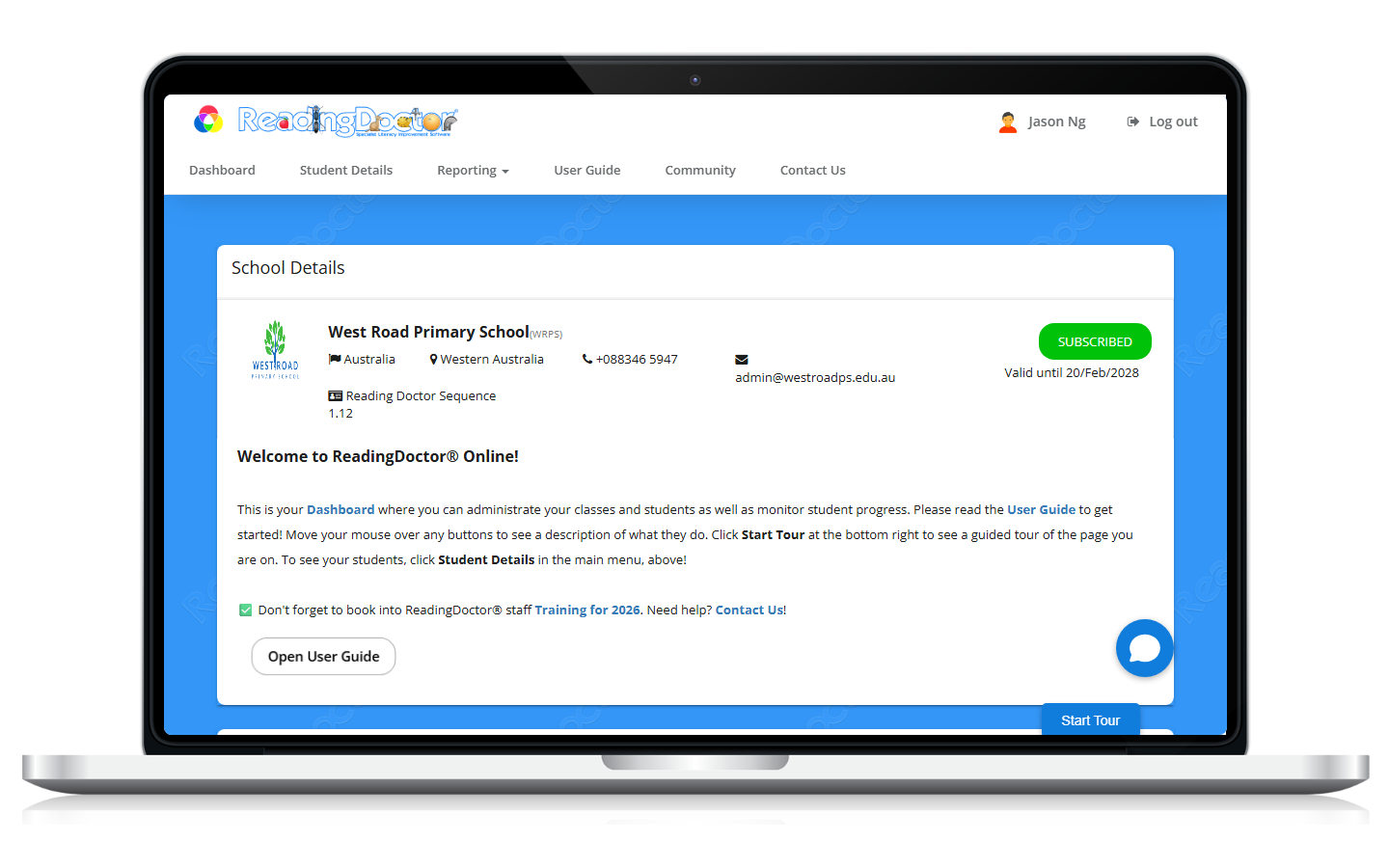
Open Student Details.
From the dashboard, open your class and click Student Details.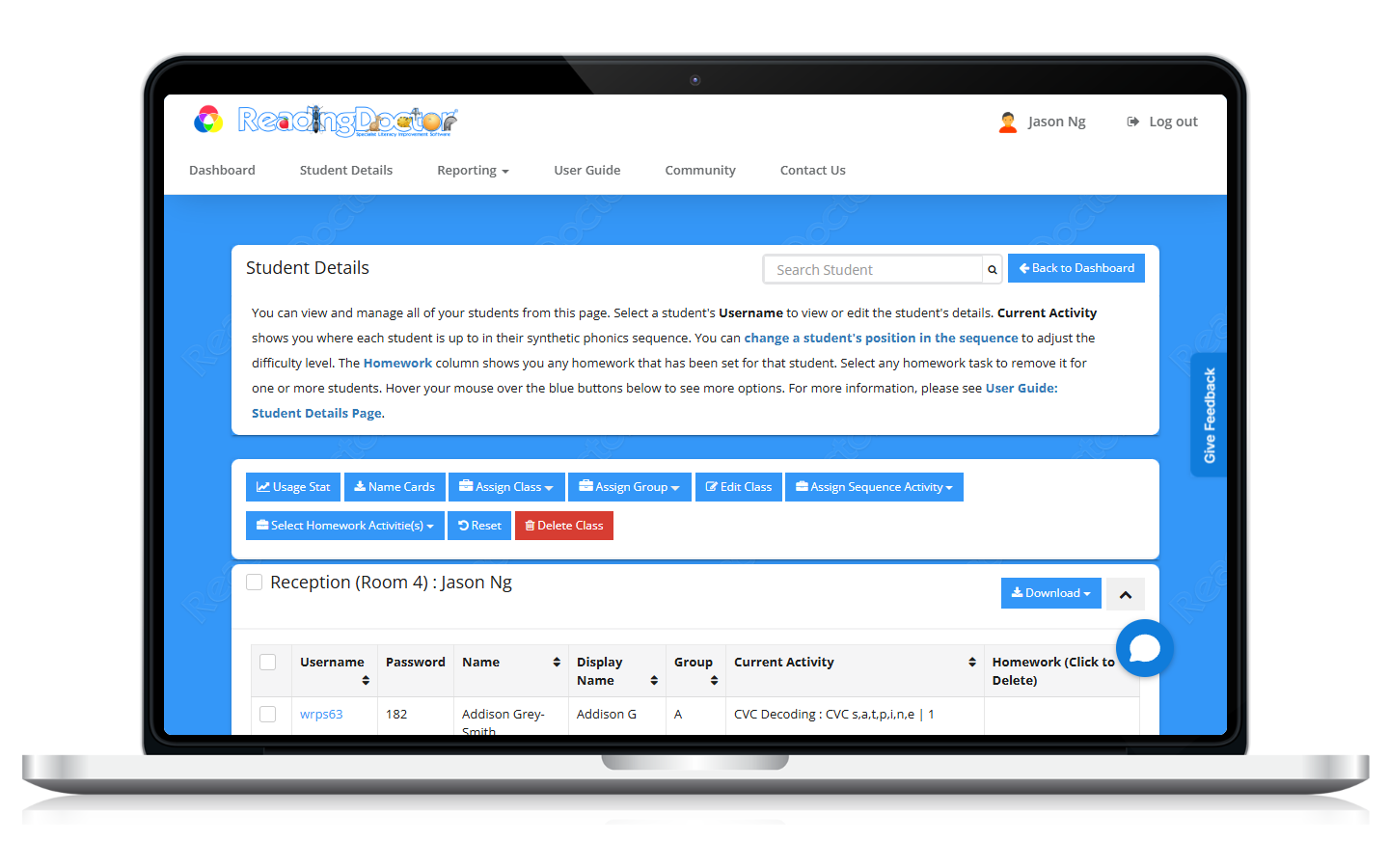
Select the student (or students).
Tick the checkbox next to each student you want to include, or select all students by checking the select all box.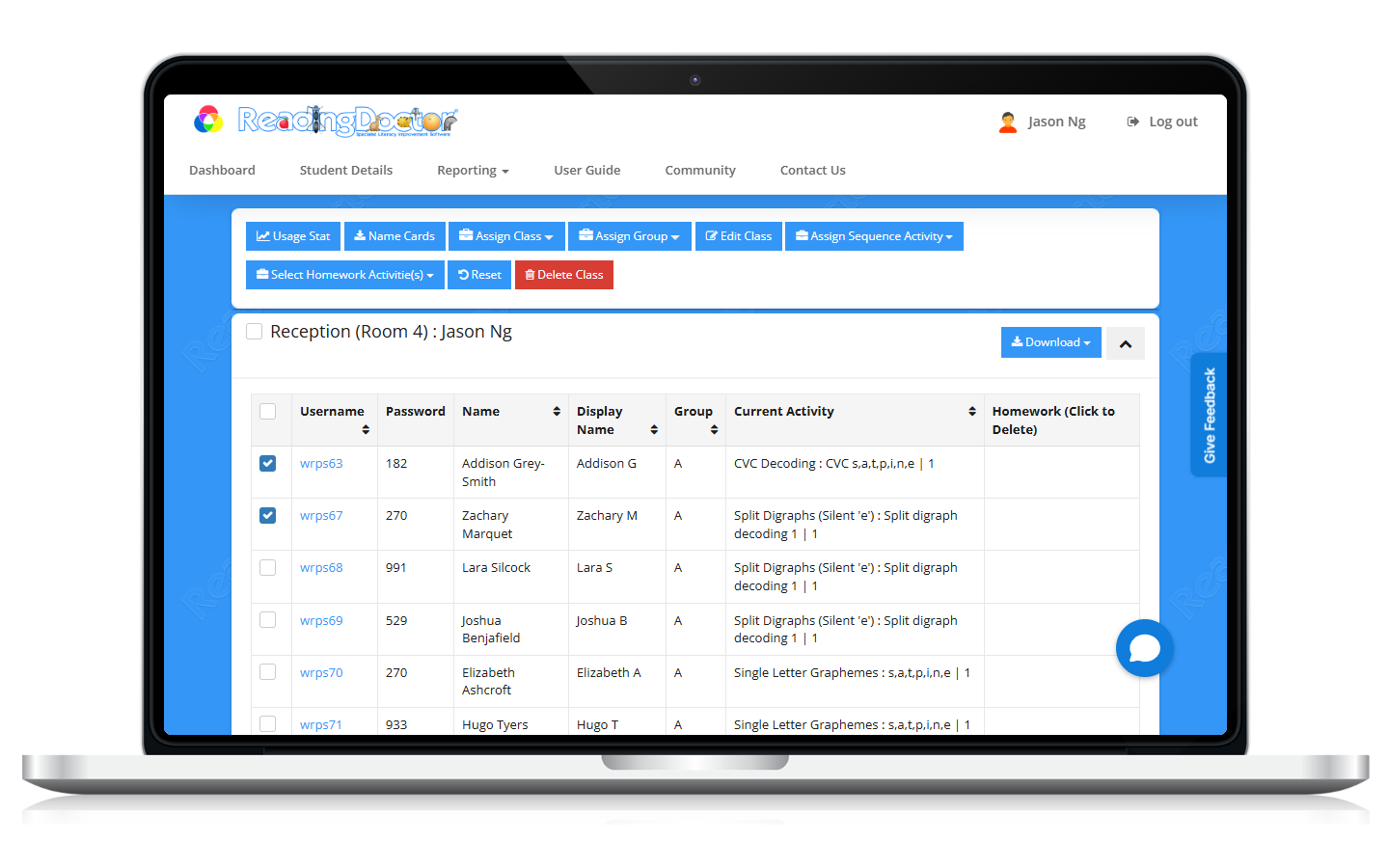
Click Usage Stat.
Keep the student selection you require and click Usage Stat once.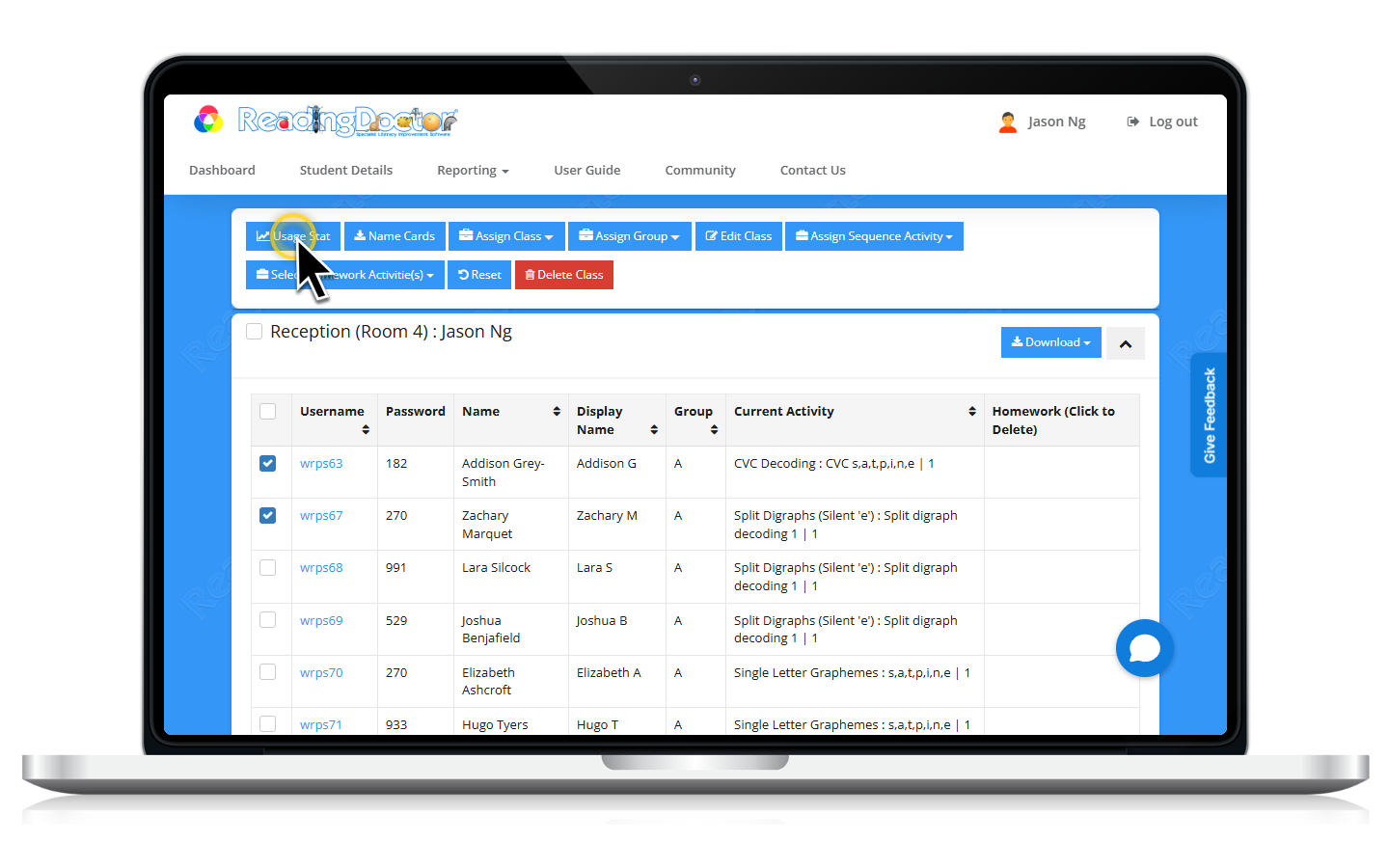
Review the Student Usage Stats window. Note you can click the column headings to reorder the data.
Choose Export, Print, or Close as needed.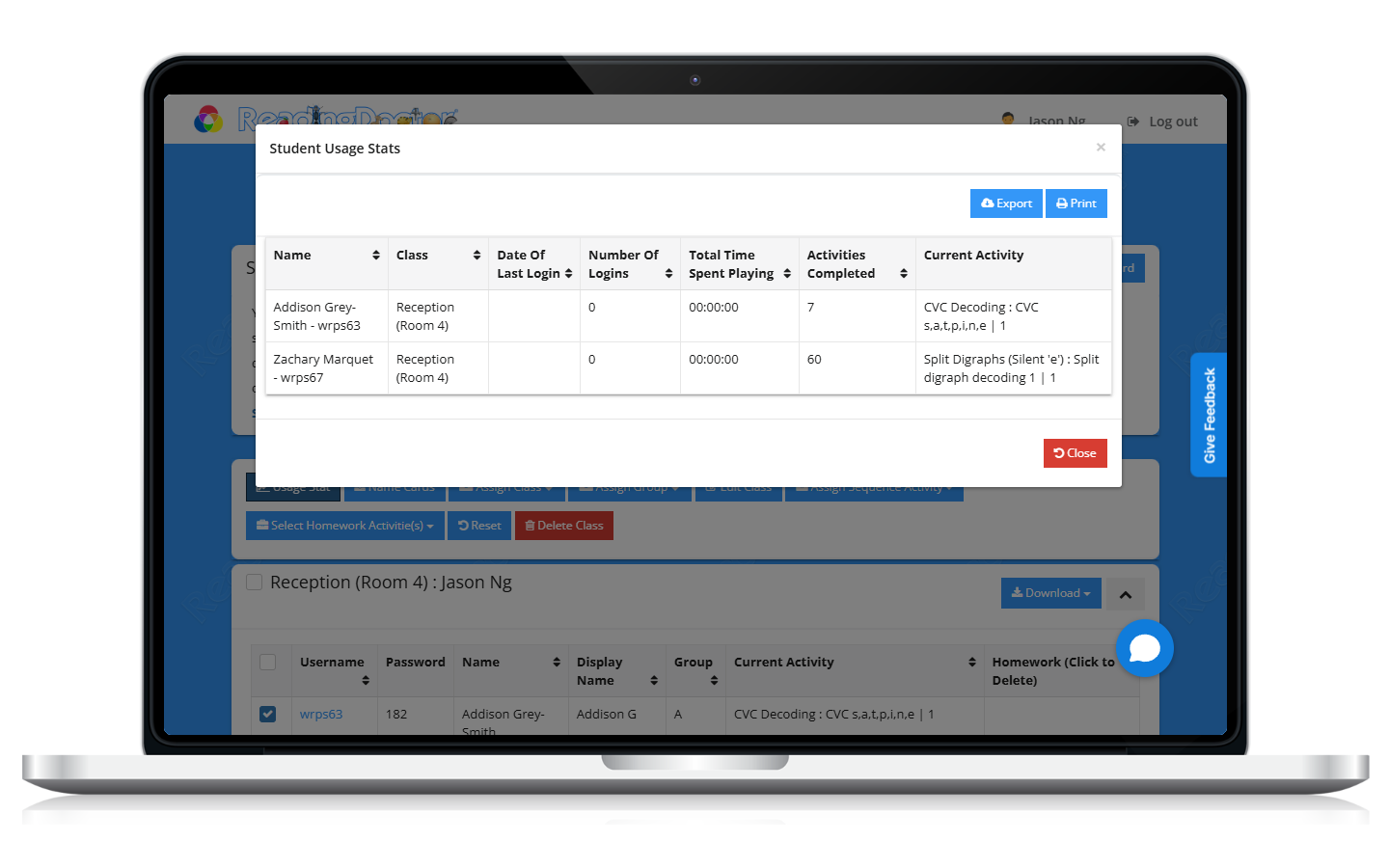
Was this article helpful?
That’s Great!
Thank you for your feedback
Sorry! We couldn't be helpful
Thank you for your feedback
Feedback sent
We appreciate your effort and will try to fix the article