You can change the difficulty level for your child in the ReadingDoctor® Dashboard.
Please try these steps:
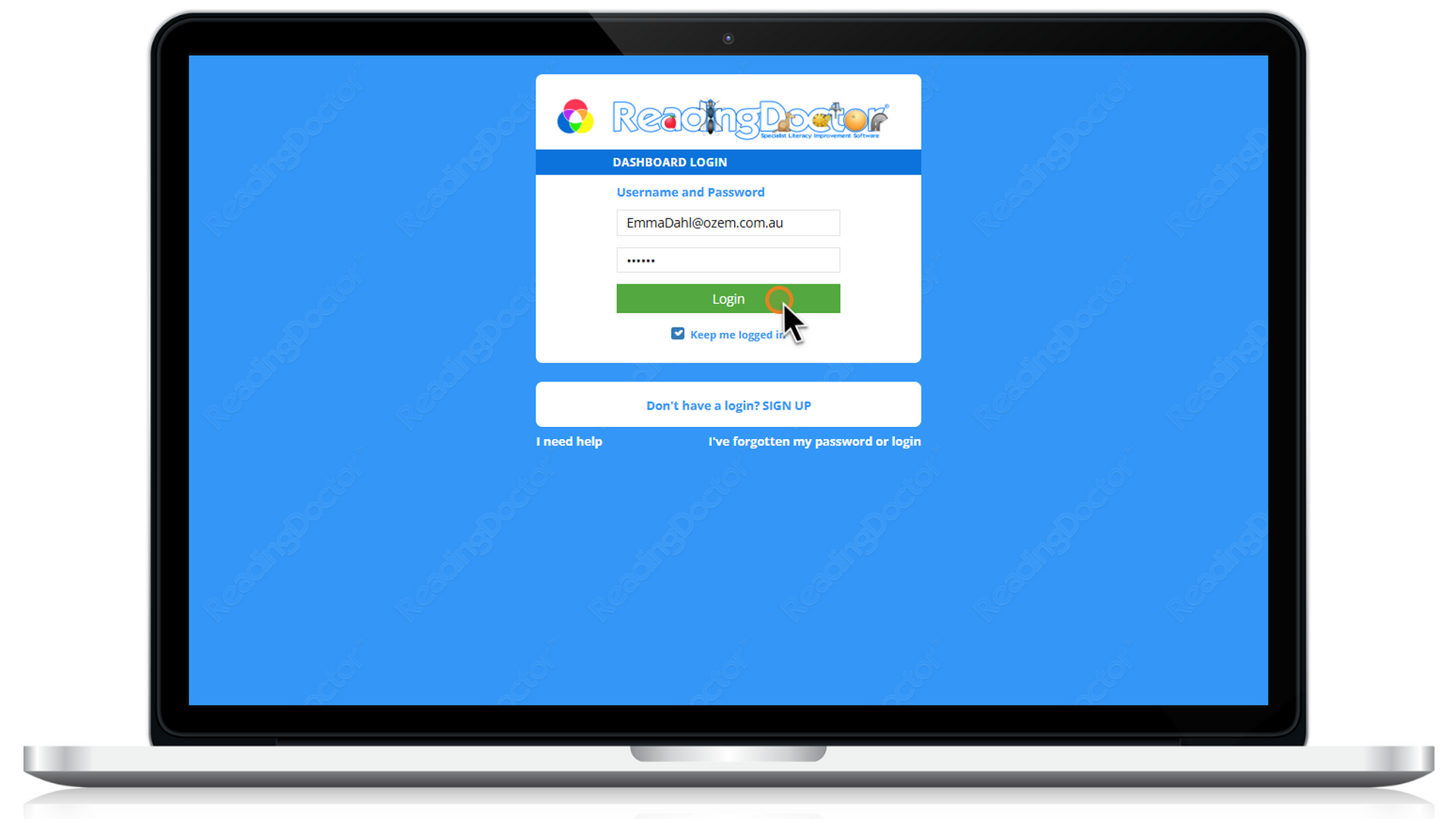
- Log in to the ReadingDoctor® Dashboardusing your parent username and password.
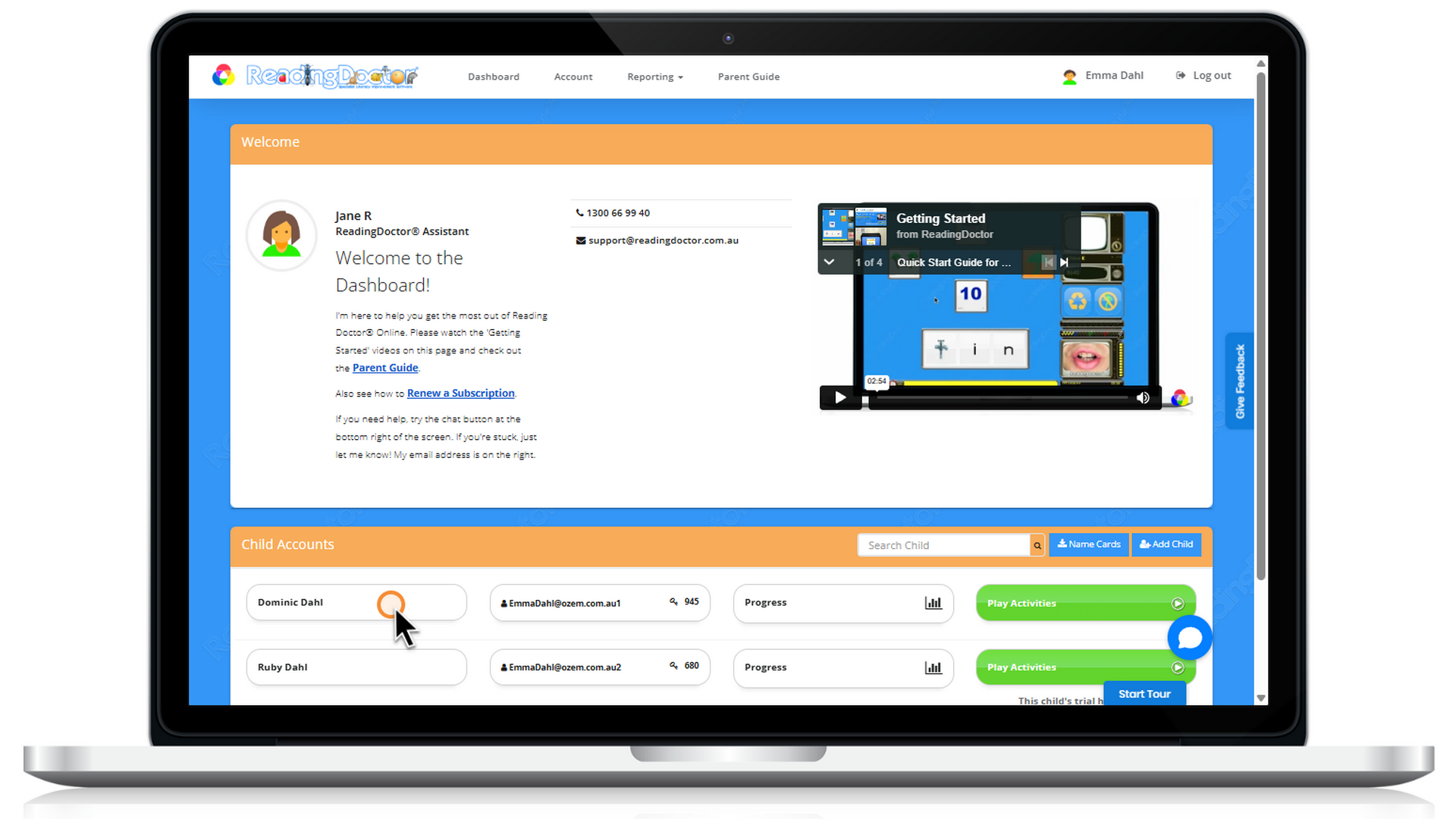
- Click on your child’s name to open their profile.
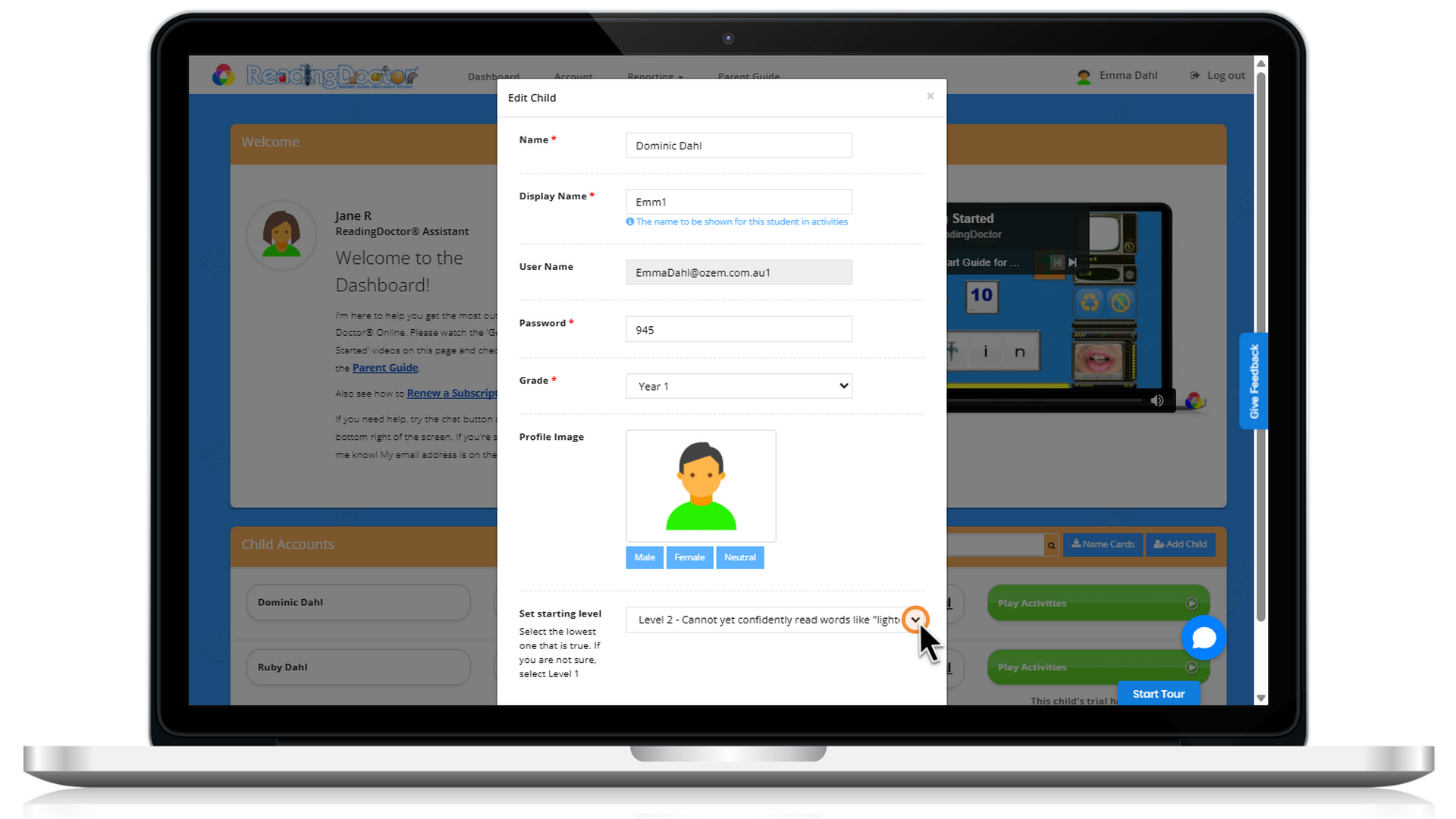
- Look for the Set Starting Levelsetting and adjust it to the level you want.
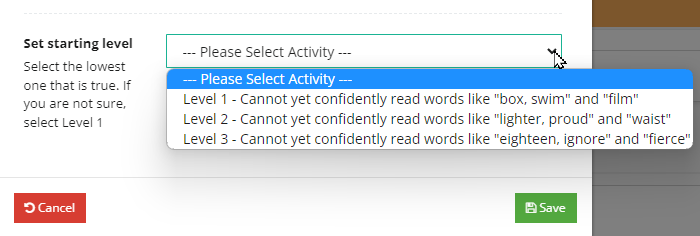
- Save the change, then have your child log back in to ReadingDoctor® Online to continue activities at the new starting level.
You can find more information in the ReadingDoctor® Parent Dashboard guide.
Please let us know if you have any questions or need help.
Was this article helpful?
That’s Great!
Thank you for your feedback
Sorry! We couldn't be helpful
Thank you for your feedback
Feedback sent
We appreciate your effort and will try to fix the article