How to delete a class
Use this guide to delete a class in the ReadingDoctor® Online Dashboard.
This action requires a ReadingDoctor® Online Administrator account.
Requirements
- Account type: ReadingDoctor® Administrator
- ReadingDoctor® Administrator Login Details
- Permission to manage classes and students
Steps
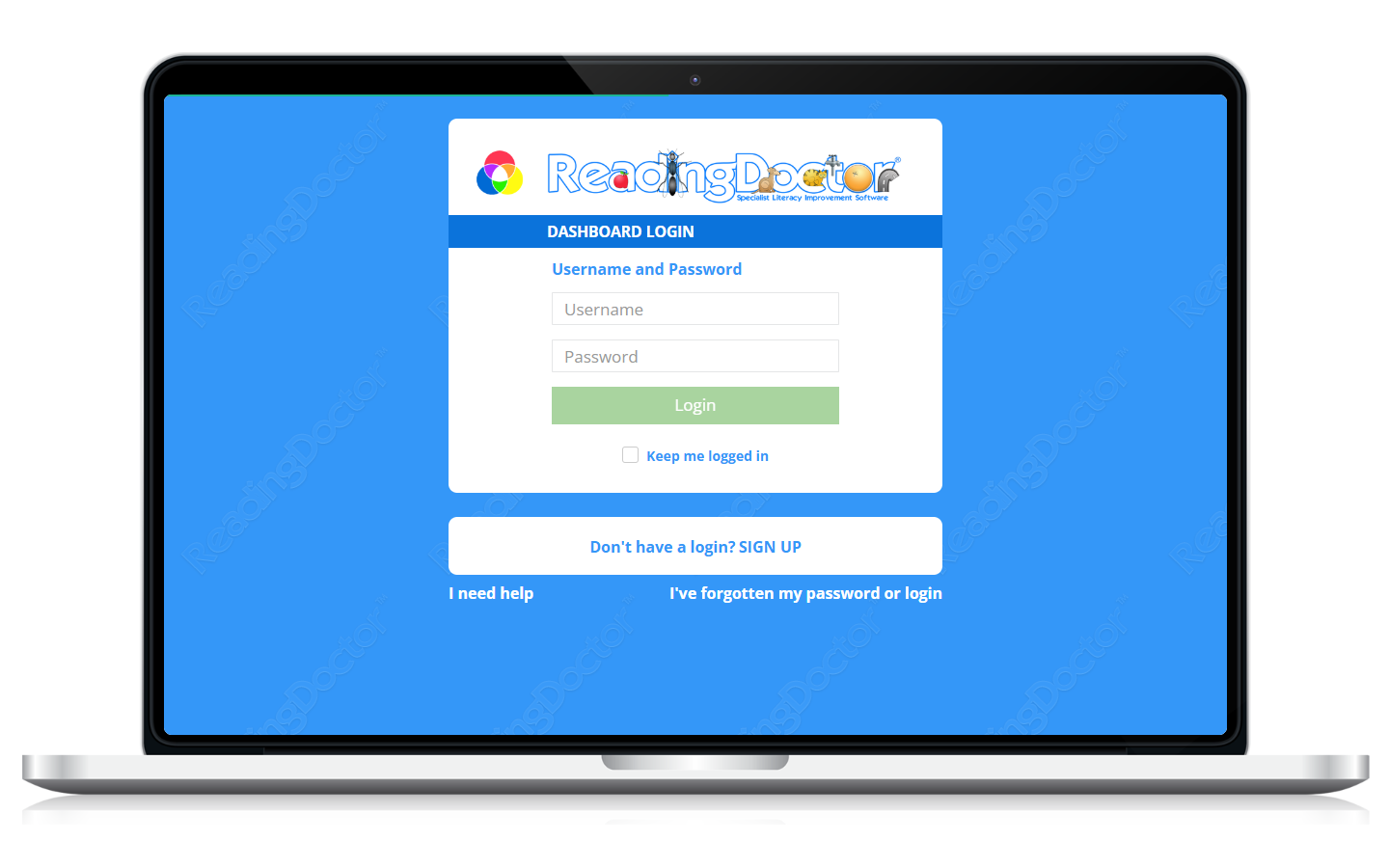
- Open the Dashboard login page and sign in.
Go to https://dashboard.readingdoctor.com
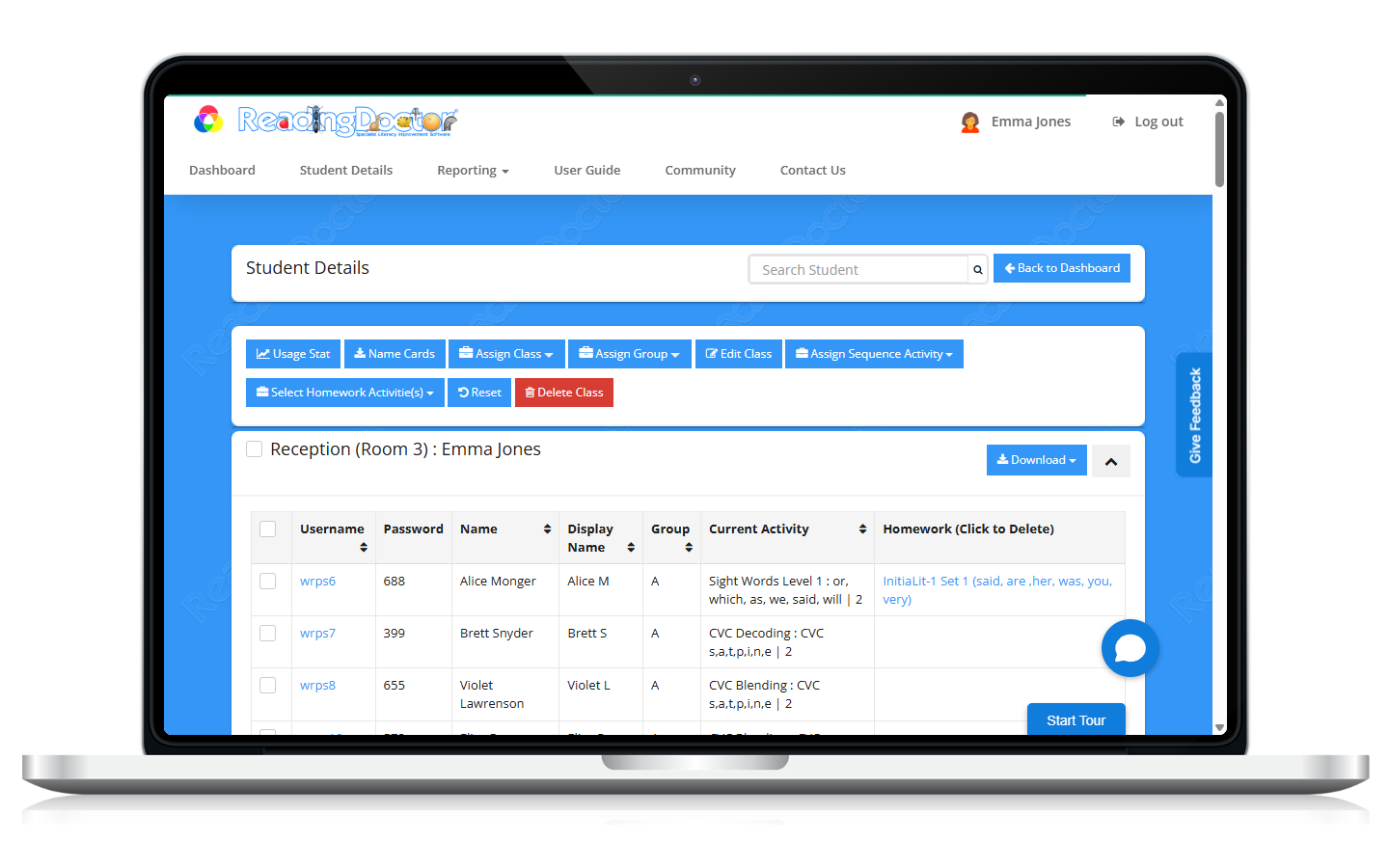
- Open Student Details.
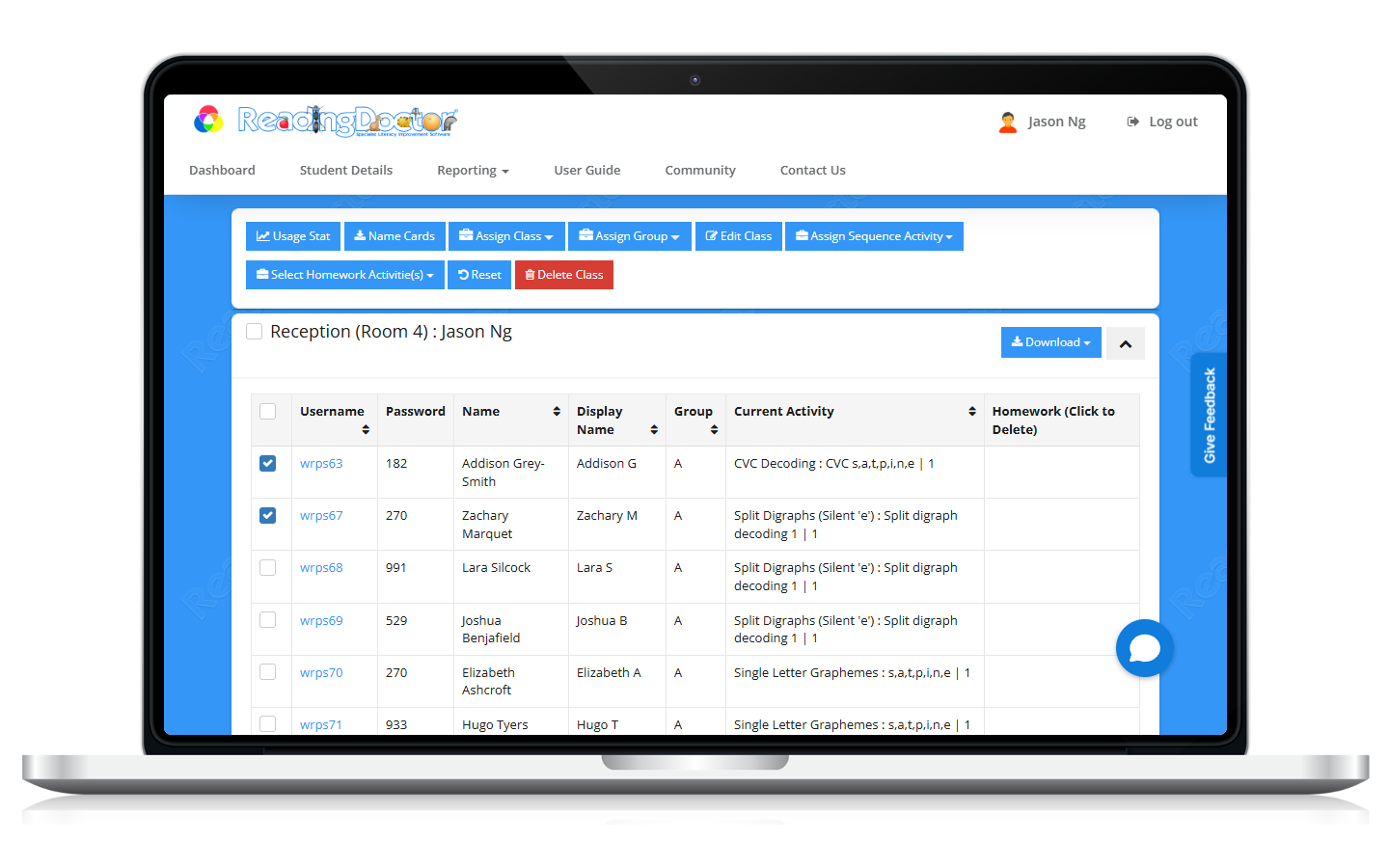
- Select the students currently in the class you want to delete.
- Click Assign Class and move those students to another class.
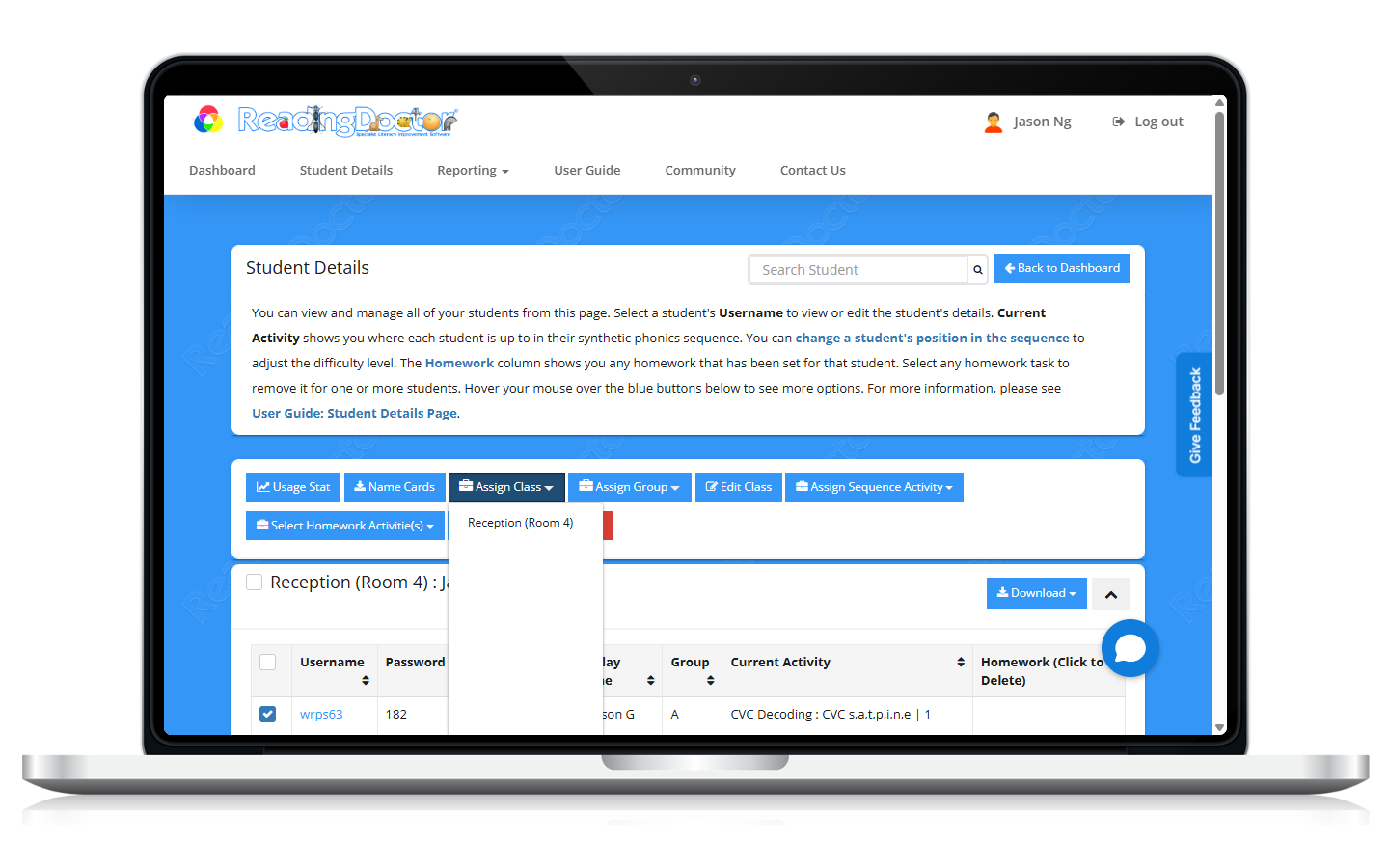
Confirm no students remain allocated to the class you want to delete.
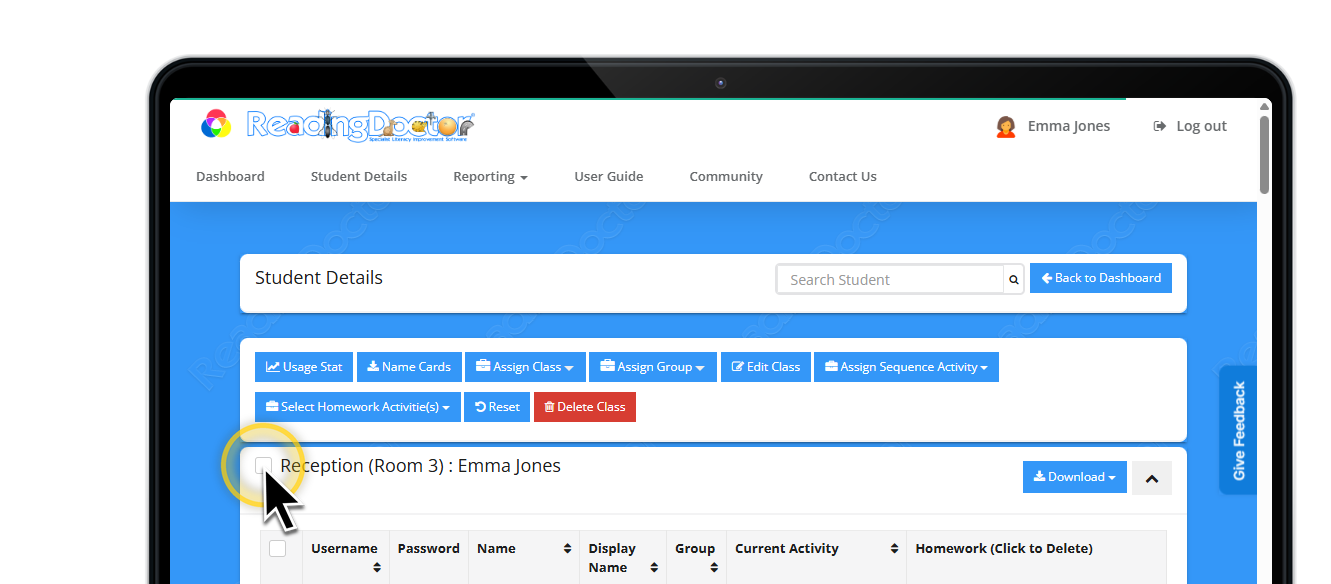
Click Delete Class & Confirm deletion.
Confirm the class no longer appears in class lists.
Was this article helpful?
That’s Great!
Thank you for your feedback
Sorry! We couldn't be helpful
Thank you for your feedback
Feedback sent
We appreciate your effort and will try to fix the article